


News Center
Major Upgrade | AnEZ V2.0 Officially Launched — Achieving a Leap-Forward Upgrade in Device Parameter Configuration Experience Through Core Technology
2026-07-27 11:40:00
Click:
“
A major iterative upgrade has arrived! Bytorent's self-developed configuration t
”
A major iterative upgrade has arrived! Bytorent's self-developed configuration tool, 'AnEZ V2.0,' has been comprehensively upgraded and is officially launched today. Compared with V1.0, the new version has completed an all-around optimization and renovation.
As a lightweight digital configuration management tool, 'AnEZ V2.0' resolves industrial device parameter configuration challenges in one stop. Its functional coverage has been broadened, parameter configuration is more stable and smooth, and on-site commissioning efficiency has seen a substantial leap.
01 Multiple Application Highlights
Application Advantage 1:Dual-System, Full-Device Compatibility — Unrestricted Commissioning
Mobile operations are flexible and convenient, with full compatibility with the two major mainstream systems, Android and HarmonyOS; both phones and tablets run smoothly. It supports remote and on-site commissioning anytime, anywhere, and can easily complete the full device configuration process even without a network connection—breaking through the limitations of space and hardware.

Application Advantage 2:Dedicated Device Adaptation — Full Functional Coverage
Deeply adapted to Bytorent's HN-series safety relays, it integrates online parameter configuration, real-time parameter calibration, and custom logic configuration functions, meeting all core commissioning scenarios on the industrial floor.

Application Advantage 3:Minimalist Visual UI — Easy to Operate
With a visual UI interaction design, the page hierarchy is clear and the operation logic is self-explanatory, enabling even beginners to quickly complete device configuration and greatly improving on-site commissioning efficiency.

02 Core Functional Advantages
Core Advantage 1:Flexible Import — Adaptable to All Operating Conditions
Equipped with four configuration import modes—local, USB, NFC, and QR-code scanning—it can be flexibly switched according to different on-site conditions, adapting to various complex industrial commissioning environments.

Core Advantage 2:Three-Device Synchronized Configuration — Efficient Batch Commissioning
Supports creating custom dedicated configuration schemes, with the ability to simultaneously configure up to 3 safety relays in tandem. This enables synchronized multi-device commissioning, completely eliminating the inefficient model of configuring devices one by one, and greatly improving batch operation efficiency.

Core Advantage 3:Visual Port Differentiation — Clear Wiring
Supports freely switching channel display styles and intelligently distinguishes device input and output ports, making wiring logic and device operating status clear at a glance. It effectively avoids issues such as wiring errors and configuration oversights, ensuring stable device operation.

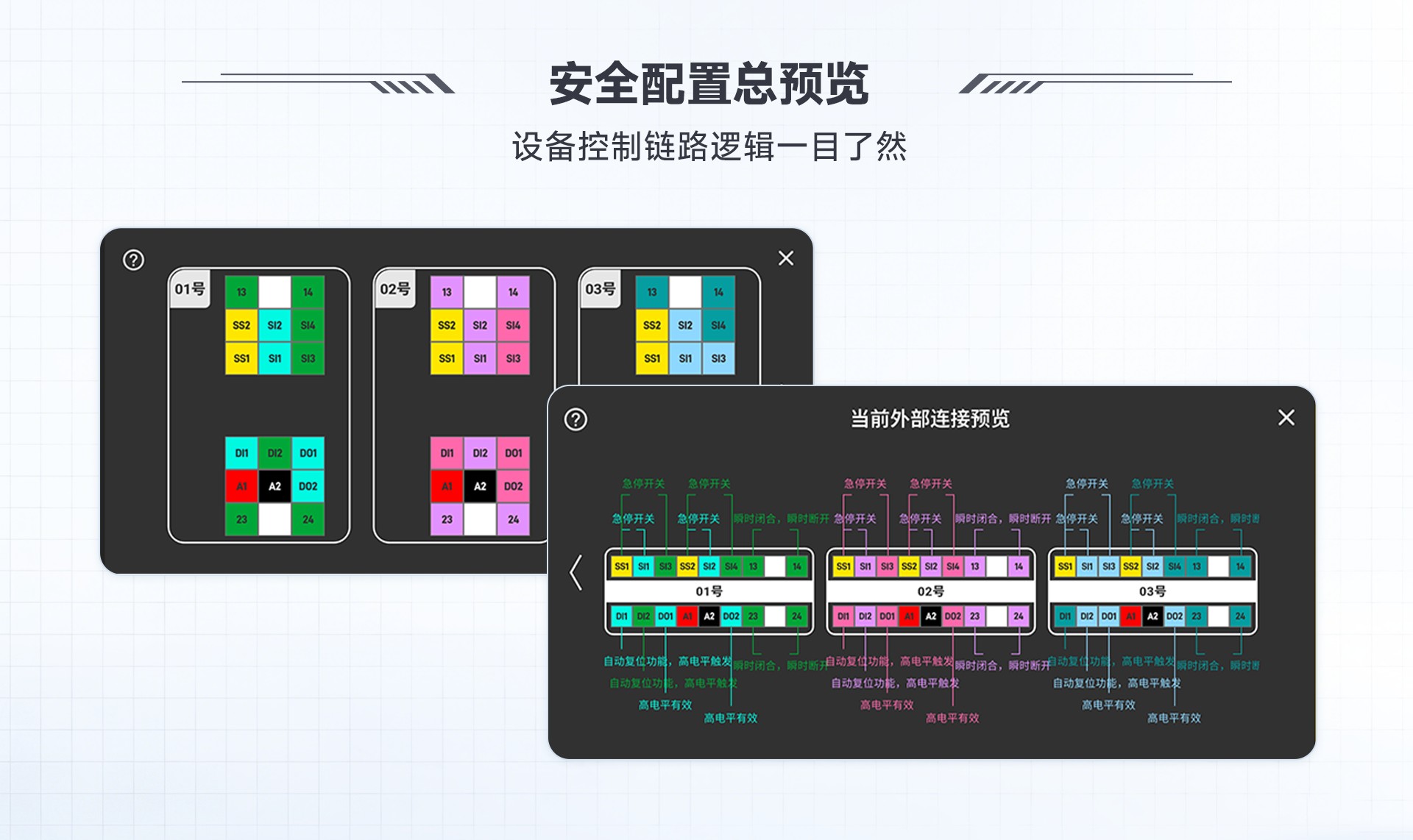
Application Advantage 4:Global Configuration Preview — Clear and Intuitive Functions
Globally visualizes all port configuration parameters and fully presents the device's control link logic. Every safety function is clear at a glance, and configuration results can be verified in real time and intuitively, reducing the probability of commissioning errors.
Core Advantage 5:Configuration Management — Secure Data Retention
Supports configuration via both NFC and Type-C interfaces on the phone, and can completely archive the full set of device configuration schemes. Configuration data is stored long-term within the app, preventing file loss and parameter disorder, making file management more standardized and reassuring.

Application Advantage 6:Custom Protection Password — High Security Level
Allows setting a custom device protection password to lock in the established configuration scheme, preventing unauthorized tampering and eliminating the risk of misconfiguration at the source. If the password is forgotten, the device can be reset via an administrator password, raising the device's overall safety protection level and strengthening device security.

Core Advantage 7:Quick Sharing — One-Click Scheme Reuse
Supports generating a dedicated QR code from a completed configuration file for one-click sharing and transfer. Scanning the code quickly copies the parameter scheme, easily enabling remote transfer, distribution, and reuse—making device commissioning more worry-free.

03 Software Download Guide
Local High-Speed Deployment — Stable Configuration Even Offline
The AnEZ app's Android and HarmonyOS versions are now available for download, supporting installation on both phones and tablets.
Android version: Scan the QR code on the left to obtain the installation package.

HarmonyOS version: Go to Huawei's 'AppGallery' and search for 'AnEZ' to download and install.
Contact Us
If you encounter any issues with installation, device connection, parameter configuration, or function operation while using the AnEZ app, please feel free to contact Bytorent technical support at any time:
Phone: 0755-26002677
Email: ask@bytorent.net
Address: 2nd Floor, North Side, Building A, Shanghe Industrial Zone, Hangkong Road, Bao'an District, Shenzhen
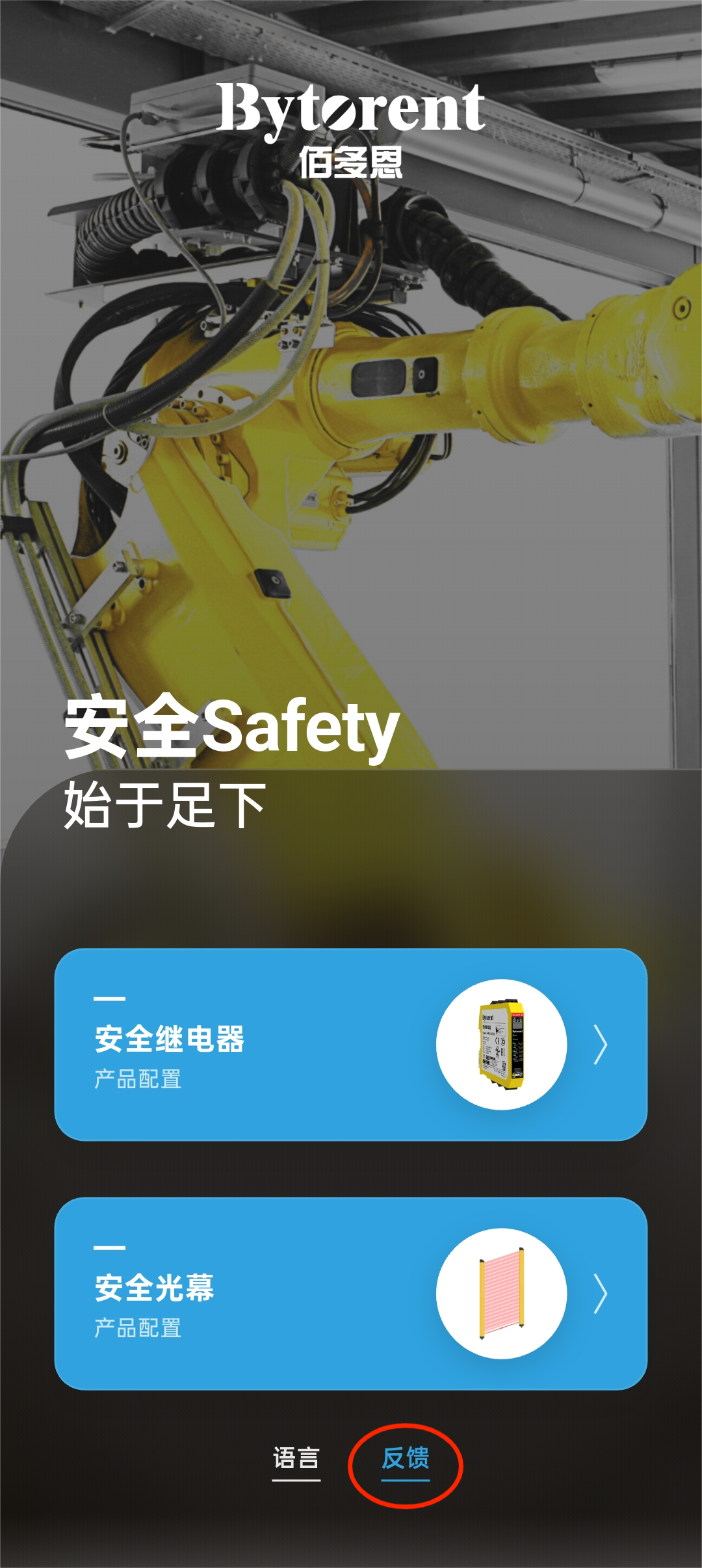
To provide feedback on your experience or optimization suggestions, you can directly click the [Feedback] entry on the app's home page to submit your comments.
Deeply rooted in the field of industrial machinery safety, Bytorent has always pursued the innovation path of integrated software-hardware solutions. This major iteration of AnEZ V2.0, achieving a leap-forward renovation in device configuration experience through self-developed core technology, also marks an important milestone in the brand's industrial safety strategy.
Going forward, the software will be updated and upgraded on a regular basis, continuously optimizing the user experience and expanding configuration functions adapted to the full product lineup. We look forward to joining hands with industry partners from all sectors to jointly build a new ecosystem of efficient, convenient, stable, and reliable industrial safety control.










Copyright © 深圳市多恩技术有限公司 All Rights Reserved. 备案号:粤ICP备17015015号
