


News Center
Major Release | AnEZ Desktop by Bytorent Is Officially Live! Two-Way Sync with the Mobile App Enables a New Level of Multi-Terminal Collaboration!
2026-08-11 09:00:00
Click:
“
In our previous article, we introduced AnEZ Mobile (V2.0) — built around a singl
”
In our previous article, we introduced AnEZ Mobile (V2.0) — built around a single phone for on-site commissioning, enabling effortless configuration anytime, anywhere.

To cover a wider range of project scenarios and meet the preferences of different terminals, we are now officially launching — AnEZ Desktop (V1.0).

One ecosystem, two ends connected:
The mobile app emphasizes 'speed' — more flexible on-site response
The desktop app emphasizes 'precision' — more detailed configuration operations
Configuration flows freely between the two ends, combining efficiency with ease. AnEZ Desktop is ready — unlock a more complete configuration experience.
01 Core Highlights of AnEZ Desktop
① Cross-Platform Stability and Flexible Deployment
Fully compatible with both Windows and macOS, ensuring stable and smooth cross-platform operation. Works broadly with diverse terminals such as industrial control hosts and office laptops, supporting seamless switching between on-site and remote scenarios. Easily complete safety logic configuration and parameter deployment, significantly improving deployment efficiency and scenario adaptability.

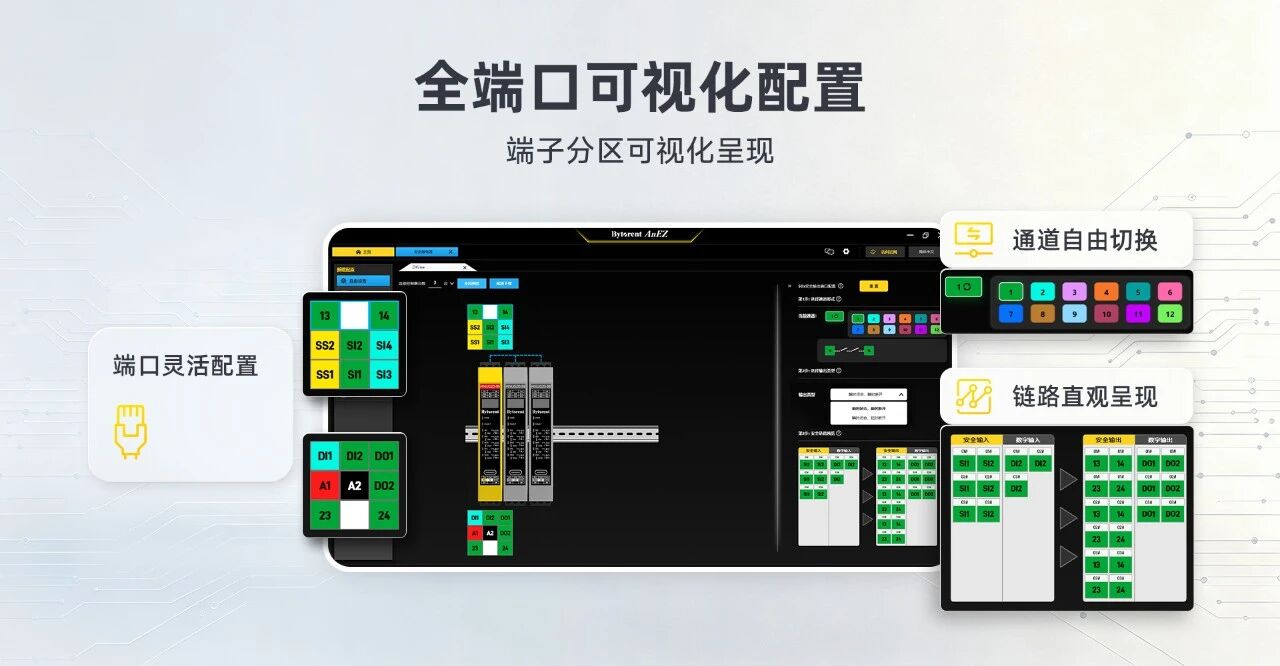
② Fully Visualized Ports with a Clear, Intuitive Layout
The safety relay simulation view faithfully reproduces the terminal arrangement of the hardware unit. SS/SI/SO/DI/DO terminal zones are presented visually, mapping hardware wiring logic one-to-one with the software configuration screen — preventing wiring errors at the source and effectively shortening equipment commissioning cycles.

③ Custom Safety Functions for Efficient Configuration
Click a port to quickly define its function, compatible with various input devices such as emergency stop switches, safety door locks, safety light curtains, and safety mats. Freely select channel types and flexibly set output logic. Leveraging visual interaction, it greatly reduces the difficulty of safety function configuration and debugging.
④ Diversified Import/Export for Efficient Scheme Reuse
Configuration data is synchronized in real time between the desktop and mobile ends, adapting to all kinds of work scenarios and enabling efficient project scheme reuse and rapid rollout.

One-Click Template Reuse: Supports flexible local file storage and retrieval, plus one-click import of resource library templates — instantly reusing proven project schemes, avoiding repetitive design work, and greatly improving productivity.
Offline High-Speed Transfer: Equipped with USB high-speed import, enabling offline configuration data transfer without worry even in network-free work environments.
Two-Way QR Code Connectivity: Enables two-way QR code interconnection between the desktop and mobile ends; configurations on either end can be generated as a QR code and imported to the other.
⑤ Multi-Tab Parallel Editing for Synchronized Configuration
Powered by multi-tab paging, you can create multiple configurations at once, enabling parallel editing across multiple projects and side-by-side comparison of configuration schemes. Quickly reuse proven logic and flexibly adjust differentiated parameters to improve iteration efficiency of configuration schemes.

⑥ Global Preview + One-Click Configuration Download
Upon completion, the configuration supports a global preview that clearly displays all device port associations and external wiring logic — helping you spot wiring errors and logic gaps in advance. After passing validation, configurations can be pushed to the device with one click, completing the one-stop closed loop of 'scheme design → logic validation → configuration flashing.'

⑦ Dual-End Linkage with Full-Domain Password Protection
AnEZ by Bytorent builds a two-way password protection system across mobile and desktop. The mobile app supports custom device configuration passwords, while the desktop app synchronously offers password verification and reset capabilities, with unified security validation rules on both ends. If a password is forgotten, it can be reset via an admin password on either the mobile or desktop end.

02 Desktop Software Download Guide
AnEZ Desktop is now live and open for download, supporting both Windows and macOS operating systems.
Path 1: Visit the Bytorent official website download section: https://www.bytorent.net/DownList/1.html , and download the installer for your system.
Path 2: Scan the QR code below to get the software installer.

03 Contact Us
If you encounter any issues while using AnEZ software — such as installation and deployment, device connection, parameter configuration, or feature operation — feel free to contact Bytorent technical support at any time:
Phone: 0755-2600 2677
Email: ask@bytorent.net
Address: 2nd Floor, North Side, Building A, Shanghe Industrial Zone, Hangkong Road, Bao'an District, Shenzhen
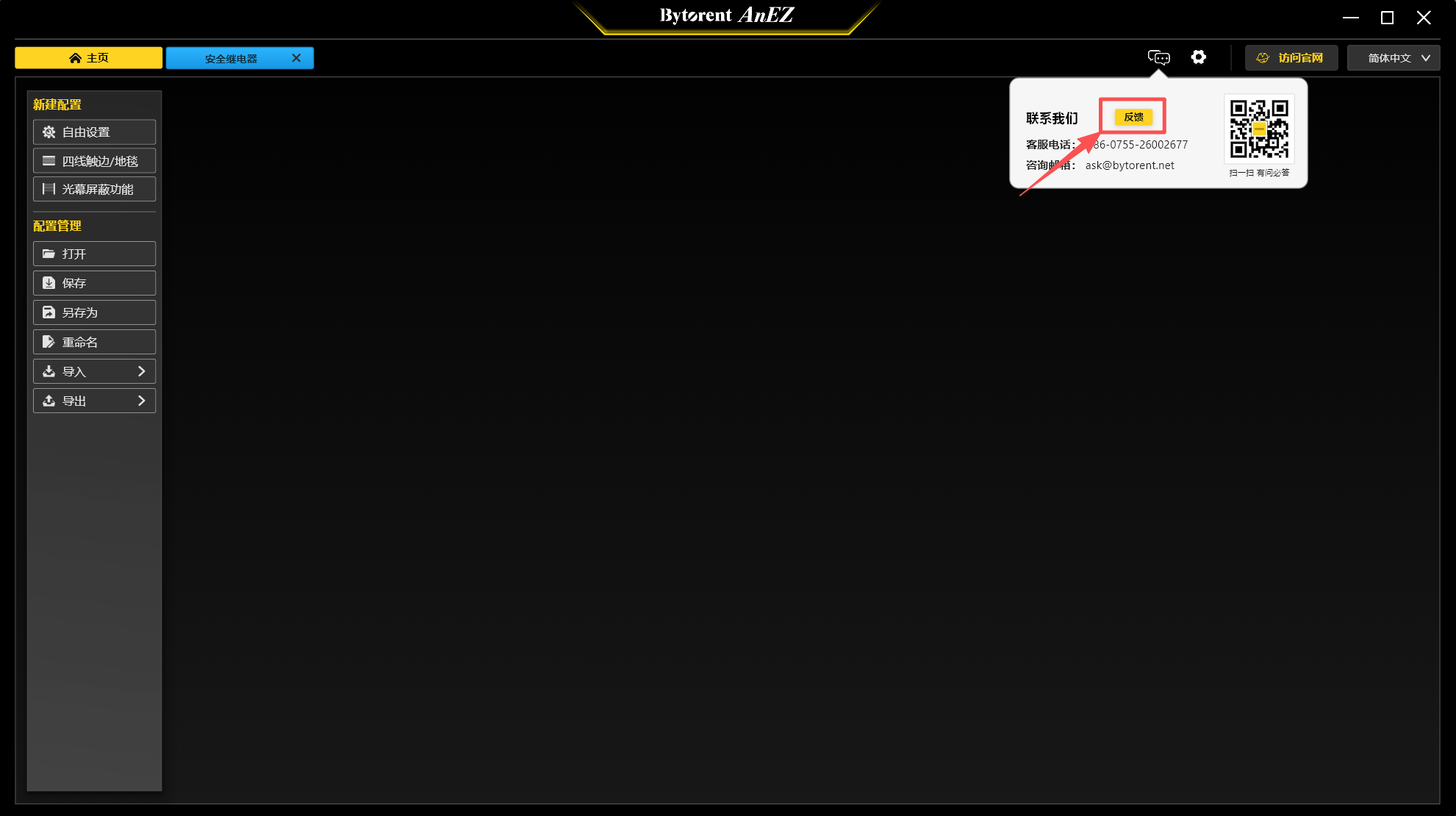
For feature suggestions and experience feedback, submit via the software's [Contact Us] → [Feedback] entry.
The launch of AnEZ Desktop by Bytorent completes the company's digital configuration management tool ecosystem and enables multi-terminal collaborative operations. In the future, the company will continue to deepen its focus on the field of industrial safety digitalization, continuously refining product functions and expanding model resources to provide the industry's customers with integrated, highly adaptable safety solutions.
For technical inquiries and product optimization suggestions, please reach out through the channels mentioned in this article. Bytorent will continue to follow up on product usage, iterating and upgrading according to customer needs, and providing long-term, stable technical service assurance.










Copyright © 深圳市多恩技术有限公司 All Rights Reserved. 备案号:粤ICP备17015015号
